Skip to main contentTechnical
Which graphics APIs are supported?
What are the specs of the video recording?
- Videos are encoded using H.264.
- Resolution, framerate and bitrate can be configured by the developer.
What resolution, FPS and Bitrate should I use?
Our recommended video settings depend on the platform being targeted, please see below.
| Recommended |
|---|
| Resolution | 1920x1080 |
| FPS | 60 |
| Bitrate | 12582912 |
| Recommended |
|---|
| Resolution | 1920x1080 |
| FPS | 60 |
| Bitrate | 12582912 |
| Recommended |
|---|
| Resolution | 1280x720 |
| FPS | 30 |
| Bitrate | 5242880 |
Which Unity render pipelines are supported?
Both URP and the Built-in renderer is supported.
Why is the video framerate lower than what I set?
LCK renders on frame updates, so the video framerate can only be equal or lower than the game framerate. The video framerate you set can be considered the target video framerate.
The video captured by LCK looks different to the in-game render?
LCK uses built Unity Cameras to perform renders, and so you have to make sure these are configured the same way as your player cameras if you want the output to look the same.
I’m changing settings on the ServiceHelper but it has no effect on the videos captured?
There are capture settings directly on the tablet which are platform dependent. The LckServiceHelper does initialize the service with its settings, but they are overriden by the tablet. It’s likely we will change the LckServiceHelper since this behaviour is not intuitive.
How do I remove streaming from my camera?
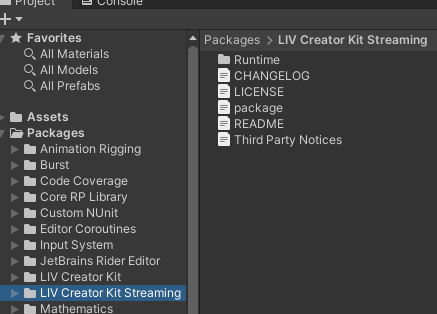
Delete the LIV Creator Kit Streaming package
How to mirror the LCK camera capture to the PC window - Unity?
Goal: Your app runs on PC and you want the captured scene on the LCK camera to mirror on the PC window. Players can then use that window as a source in popular capture tools like OBS and Streamlabs.
Solution: Connect an existing spectator camera (using a camera, render texture, and canvas to display on screen) into LCK using lckService.OnActiveCameraSet delegate to fetch the camera being used, then copying the properties across to simulate it in the spectator camera.
How to test streaming from your PC Editor
Goal You’ve implemented streaming but it’s slow to test via the Meta Quest. Testing via PC/editor would be easier.
Solution: To test streaming from your desktop, you can pair to LIV Hub on your Quest using the pairing code shown on the tablet in editor - LIV Hub doesn’t need to be on the same device that the game is running on. That is, in LIV Hub on Meta Quest, go to “LIV Camera Games”, hit “Pair game”, and enter the code. This will appear as a separate game in the “LIV Camera Games” section of LIV Hub. Once you’re paired, you can test the streaming flow from the game running on desktop.
Is Normcore supported with LCK?
Yes, Normcore works with LCK 
